Force Delete Bad Cells
Sometimes when running fluent simulations you can encounter the situation where a few poor cells are throwing off the entire simulation. These can cause divergence or other numerical issues. Usually the best way to rectify this is to modify the geometry or change mesh settings. However in some situations this is not feasible for one reason or another. In these situations it can be more practical to simply delete the poor cells from the domain, creating a void. In situations where there are only a few poor cells in a large domain some small void is usually not a problem. There are three main steps to do this in Fluent. First identify the cells using a cell register. Then separate the register into a new zone. Then delete the created zone or zones. If the created void from deleting the zone is adjacent to a fluid region it might be good to also switch the walls to free slip rather than the default no slip boundary to avoid the void affecting the flow more than necessary. To create the cell register use some kind of identifier, in most cases it’s fine to use the orthogonal quality to identify the cells that are problematic. For example:
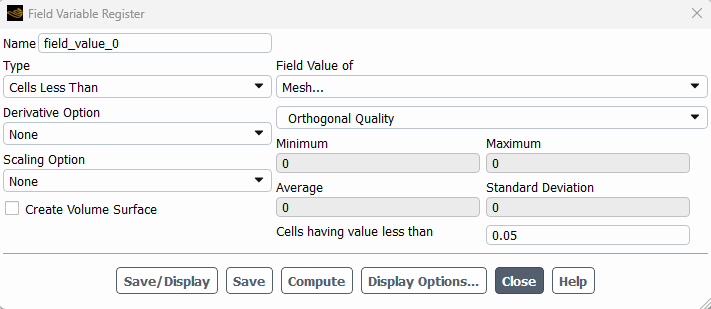
Then use separate on this register to create a new cell zone or zones for these poor quality cells.
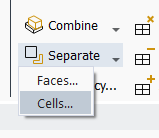
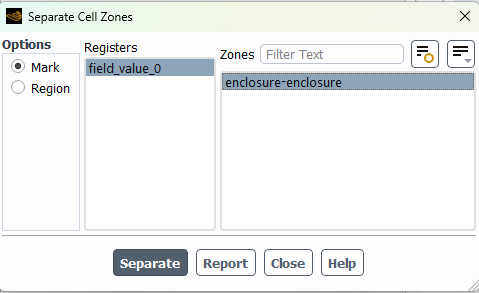
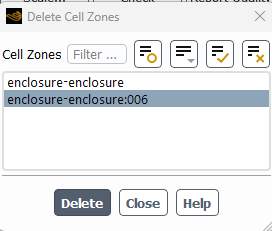
Then use the delete function to delete the newly created zone:
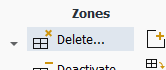
In the event that the cell zone is highly distorted or non-manifold, the solver might not allow the deletion of the zone. In that case it might be necessary to slit the created coupled wall zones or interior surfaces. To do that use the face slit command in the TUI, /mesh/modify-zones/slit-face-zone.